Navigating account issues on Roblox can be a bit tricky, but understanding how to reset your account is crucial for maintaining security and enjoying your gaming experience. Whether you have forgotten your password, wish to start fresh, or need to address a compromised account, this comprehensive guide offers all the steps. Learn about password recovery, email verification, two-step authentication, and even how to create a completely new profile if a full reset is not possible. This information is vital for players and parents alike, ensuring a safer and more enjoyable time on one of the world's most popular gaming platforms. Stay informed and secure your virtual adventures effectively with these detailed insights into Roblox account management practices today.
Welcome to the ultimate living FAQ about resetting your Roblox account, updated for the latest patch and security best practices! Whether you're a seasoned player or a parent navigating the digital world, managing your account access and security is more important than ever. This guide addresses common questions, offering practical tips and tricks to keep your Roblox experience safe and enjoyable. We'll cover everything from forgotten passwords to advanced security, ensuring you have the knowledge to handle any account-related challenge.
Most Asked Questions about How to Reset Your Roblox Account
1. How do I recover a forgotten Roblox password?
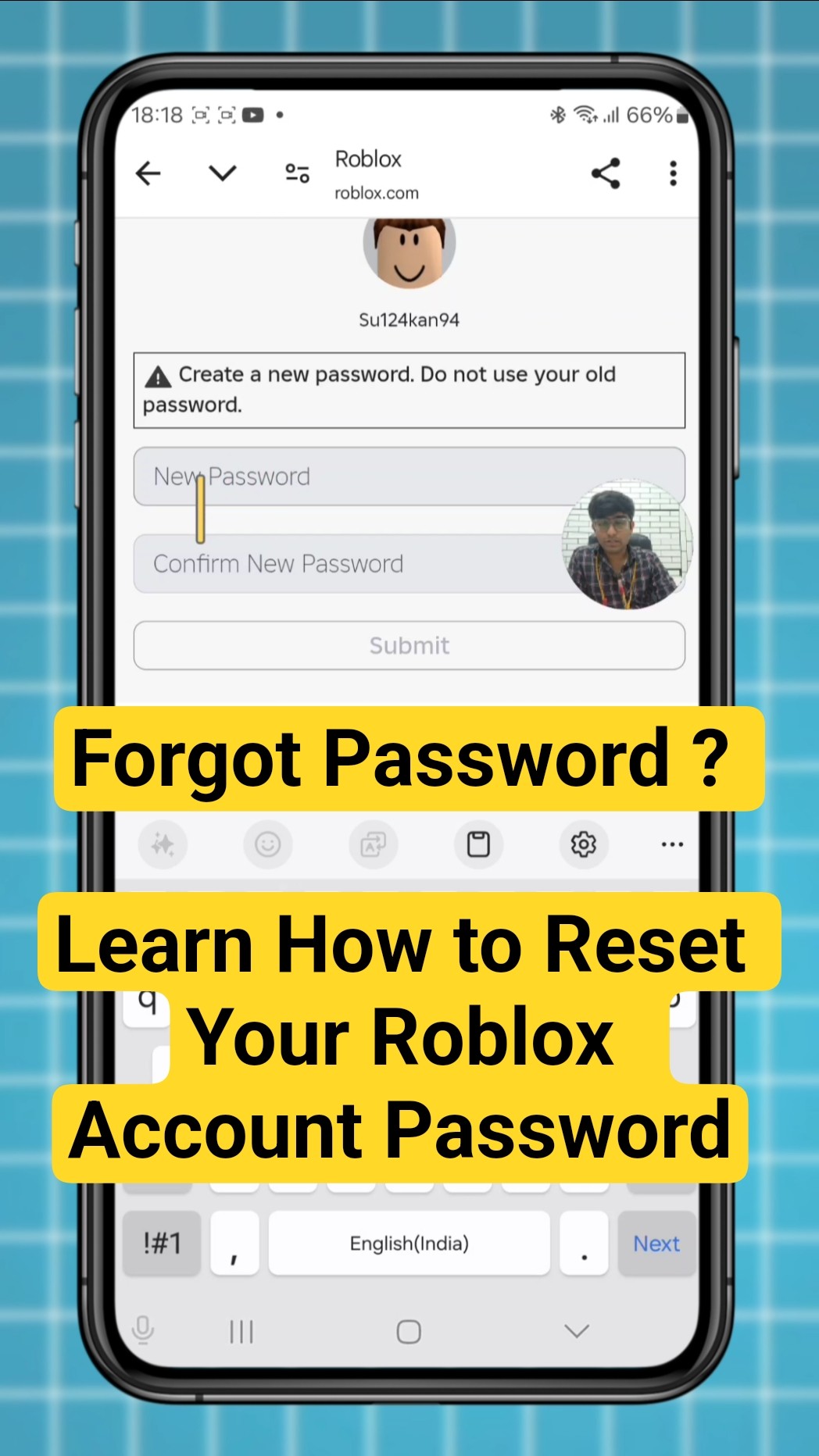
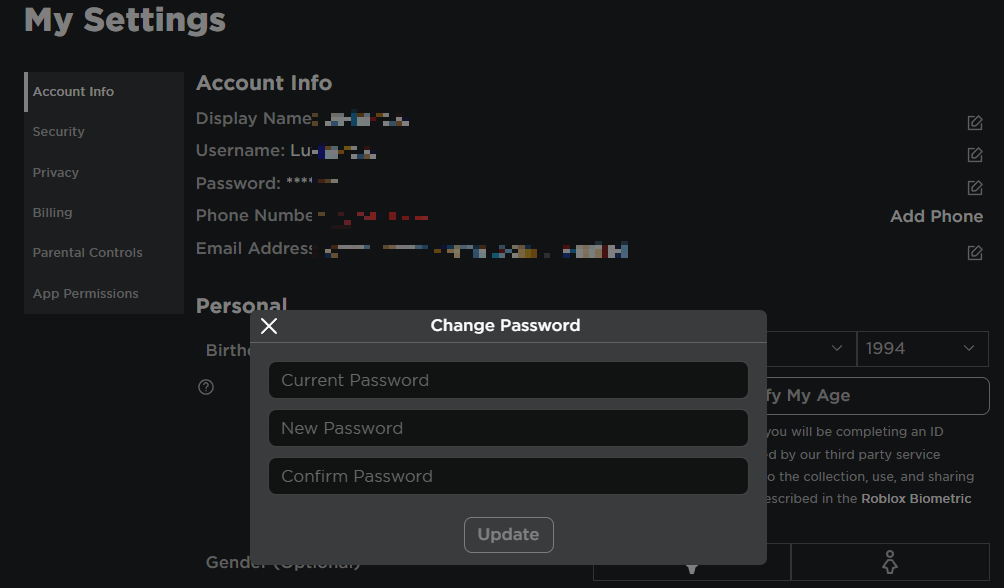
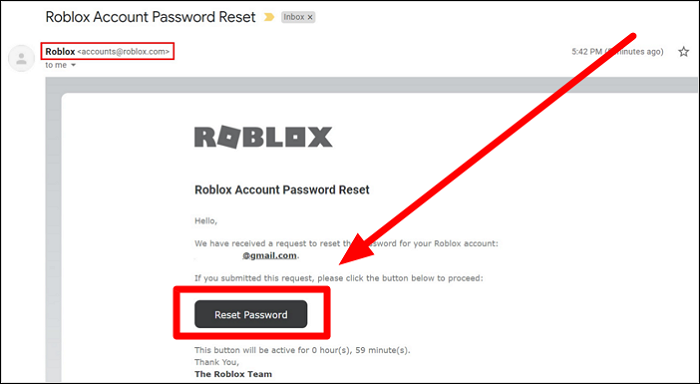
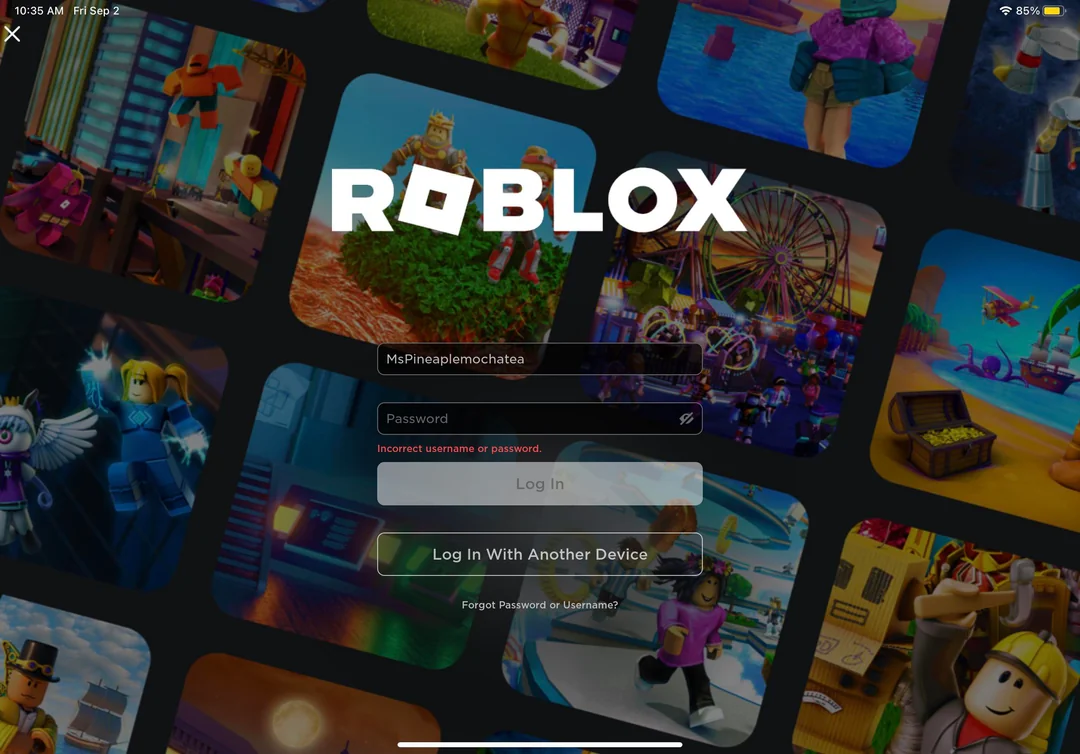
To recover a forgotten Roblox password, visit the login page and click 'Forgot Password or Username?'. Enter your verified email address or phone number linked to your account. Roblox will send a password reset link or a verification code, allowing you to set a new password securely and regain access. Ensure you check spam folders for emails.
2. Can I truly 'reset' my Roblox account to wipe all my game progress?
Roblox does not offer a feature to 'reset' an entire account to wipe all game progress, Robux, and items. Your account's history and purchases are permanent. If you desire a completely fresh start without any previous data, your only option is to create a brand-new Roblox account with a different username.
3. What should I do if my Roblox account is hacked or compromised?
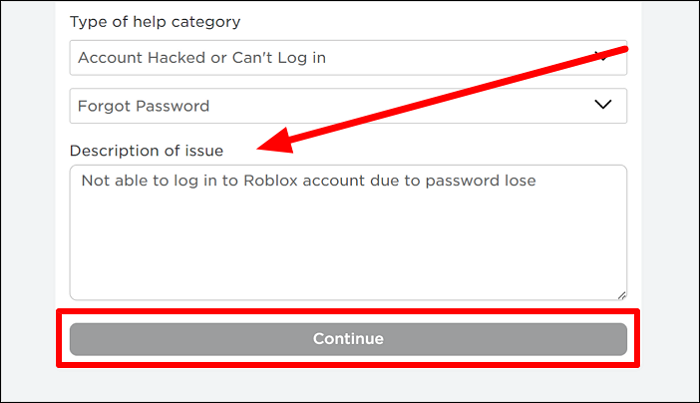
If your Roblox account is hacked, immediately try to reset your password via the 'Forgot Password' link using your verified email or phone. If unsuccessful or details are changed, contact Roblox Support urgently through their dedicated 'Account Hacked' form, providing all account verification details. Also, enable 2SV on all accounts.
4. How can parents secure a child's Roblox account and prevent unauthorized changes?
Parents can secure a child's Roblox account by enabling Account Restrictions and setting a Parent PIN in the account settings. This PIN protects crucial changes like email, phone number, and privacy settings. Without the PIN, unauthorized alterations are blocked, ensuring parental oversight and a safer experience.
5. Is it possible to delete a Roblox account permanently?
Yes, it is possible to delete a Roblox account permanently, but it is not an instant self-service option. You must contact Roblox Support directly through their website and submit a clear request for account deletion. They will guide you through the verification process. Remember, this removes all associated data and items permanently.
6. What are the best tips for preventing my Roblox account from being hacked?
To prevent your Roblox account from being hacked, always use a unique, strong password not shared with other services. Enable Two-Step Verification (2SV) using a verified email. Be cautious of phishing links, never share your password, and keep your email address secure with its own 2SV. Regularly update your software.
7. How does Two-Step Verification (2SV) work for Roblox accounts?
Two-Step Verification (2SV) adds an extra layer of security. After entering your password, Roblox sends a unique code to your verified email address. You must enter this code to complete the login process, especially from new devices. This prevents unauthorized access even if someone knows your password.
Beginner Questions
Is creating a new Roblox account the same as resetting my old one?
No, creating a new Roblox account is distinctly different from 'resetting' an old one. A new account is a completely blank slate with no previous progress, Robux, or items. Resetting typically refers to password recovery on an existing account. You cannot transfer anything between accounts.
Do I need an email or phone number to reset my Roblox password?
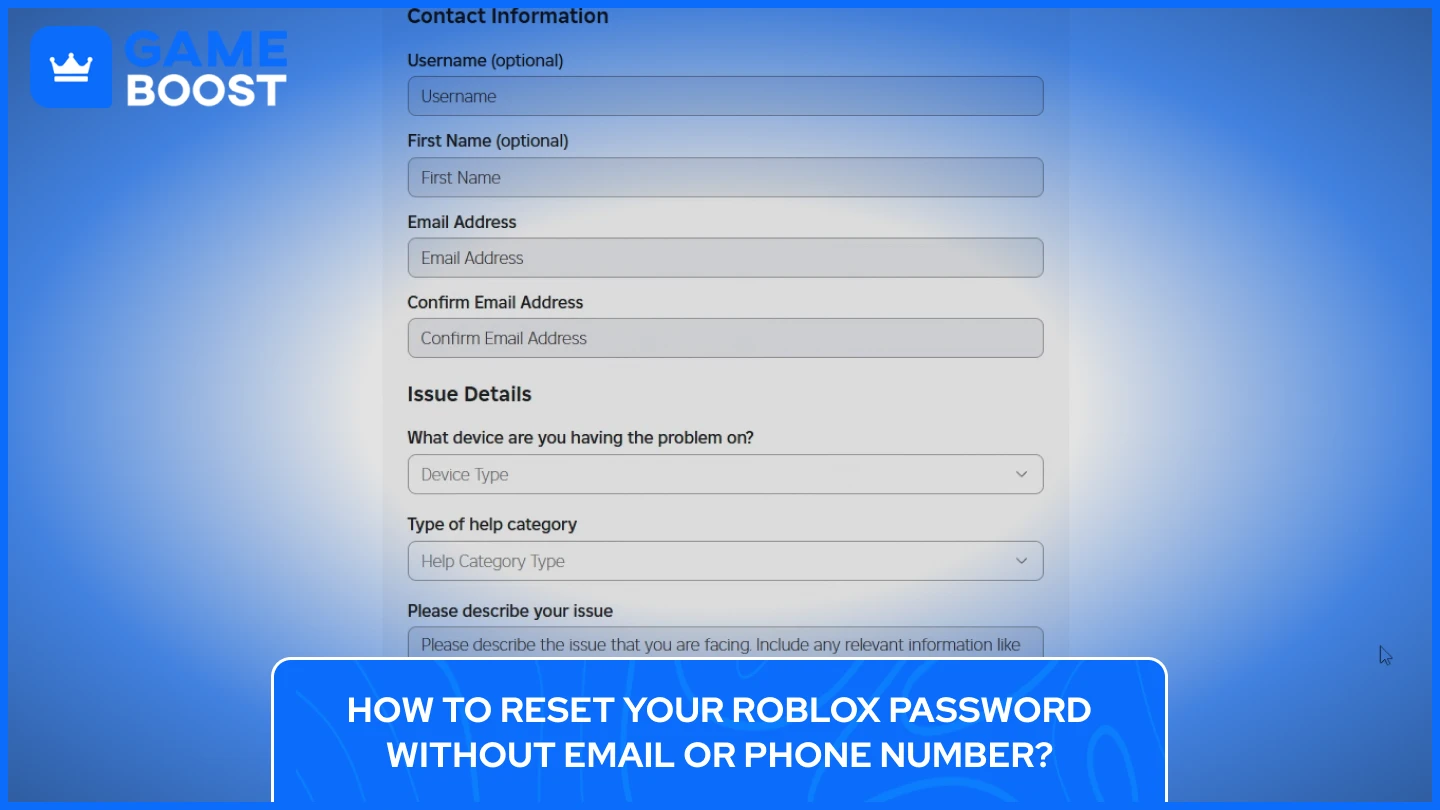
Yes, having a verified email address or phone number linked to your Roblox account is absolutely essential for the password reset process. Without access to either of these, recovering your account becomes significantly more difficult and typically requires direct, often prolonged, interaction with Roblox Support.
Account Management & Security
Can I change my Roblox username if I want a fresh identity without losing progress?
Yes, you can change your Roblox username without losing any of your existing progress, Robux, or items. This feature costs Robux and can be done through your account settings. This allows you to update your identity while keeping all your accumulated game data and virtual possessions intact.
What is a Parent PIN, and how does it help with account security?
A Parent PIN is a four-digit code that parents can set on a child's Roblox account through Account Restrictions. It acts as a security lock, requiring input before making critical changes to account settings, privacy, or purchases. It ensures parents maintain control and oversight of the child's online activity.
Troubleshooting & Fixes
I didn't receive a password reset email; what should I do?
If you didn't receive a password reset email, first check your spam or junk mail folders. Ensure the email address you entered is the exact one linked to your Roblox account. If still nothing, wait a few minutes and try again. If the issue persists, contact Roblox Support for further assistance.
My account was banned; can a 'reset' help lift the ban?
No, a 'reset' or creating a new account will not help lift a ban on your old Roblox account. Account bans are issued for violating Roblox's terms of service and are linked to the specific account. If you believe a ban was issued in error, you must appeal it directly through Roblox's moderation team, not by attempting a reset.
Tips & Tricks
How often should I update my Roblox account password?
It's a good practice to update your Roblox account password at least every 6-12 months, or immediately if you suspect any unusual activity or if another one of your online accounts has been compromised. Regularly changing your password adds a layer of proactive security.
What's the best way to safeguard my Robux from being stolen?
The best way to safeguard your Robux is by enabling Two-Step Verification on your account, using a strong, unique password, and being extremely wary of suspicious links or free Robux scams. Never share your login information or click on unverified third-party websites offering Robux.
Still have questions? The Roblox Support page offers extensive articles and direct contact options for further assistance. For more guides and tips, check out popular related articles on IGN's Roblox section or GameSpot's gaming security features!
So, there you have it! Resetting your Roblox account isn't quite like hitting a magic button to start everything from scratch, but it's totally manageable once you know the ropes. Most of the time, when folks talk about 'resetting,' they're really looking to recover a lost password or simply make a fresh start with a brand new profile. Roblox has solid ways to help you get back into your account if you've forgotten your details, mostly revolving around your verified email or phone number. It's like having a digital spare key!
The big takeaway here is that your Roblox account, with all its Robux, items, and game progress, is pretty much a permanent record tied to that specific username. You can't just wipe it clean and reuse the name. But you absolutely can secure it better with Two-Step Verification, keep your contact info updated, and know what to do if a hacker ever comes knocking. It’s all about being prepared and using the tools Roblox provides. So, go forth, secure your account, and enjoy all the amazing experiences Roblox has to offer, knowing you're in control!
Ever find yourself wondering how to get a fresh start on Roblox or regain access to a lost account? Millions of players worldwide face this exact dilemma at some point. It's a common question among the Roblox community, especially as accounts age or circumstances change. Understanding your options for account resets, password recovery, and even initiating a clean slate is incredibly important for any dedicated player. This guide will walk you through everything you need to know about managing your Roblox account effectively and securely in the current year. We'll cover why resetting might be necessary and exactly how to navigate Roblox's systems. Knowing about Roblox password reset options is the primary solution for most access issues. These options ensure you can quickly regain control of your profile without creating a new one. Implementing account security best practices, like two-step verification, truly fortifies your account against unauthorized access. If you dream of a fresh start Roblox games experience, sometimes creating an entirely new account is the simplest path forward. Always remember to prioritize your data privacy on Roblox, carefully managing what information is shared. Parents should also utilize parental controls Roblox offers to safeguard younger users' online interactions and gameplay.
## Beginner / Core Concepts
1. Q: What does 'resetting' a Roblox account actually mean, and can I truly wipe all my progress?
A: When players talk about 'resetting' a Roblox account, they usually mean one of two things: either recovering access to an account with a forgotten password or wanting to erase all game progress to start completely fresh. It's a question I get why it confuses so many people, because Roblox doesn't actually offer a feature to 'reset' an existing account back to zero, wiping all your items, Robux, and game data. Think of it more like your real-world identity; you can't just hit a reset button and become a baby again. Your account, including its progress and purchases, is permanently tied to that username. If you've forgotten your password, 'resetting' means going through the password recovery process. This usually involves using the email address or phone number linked to your account. This process is generally straightforward and designed to get you back into your account quickly. However, if your goal is to start totally fresh with no prior game history or items, you'll need to create a brand-new Roblox account with a different username. This approach is the only true way to get that 'new player' experience again. Remember, any Robux or game passes on your old account won't transfer. It's important to understand this distinction before you proceed with any steps. You've got this!
2. Q: How can I recover my Roblox account if I've forgotten my password?
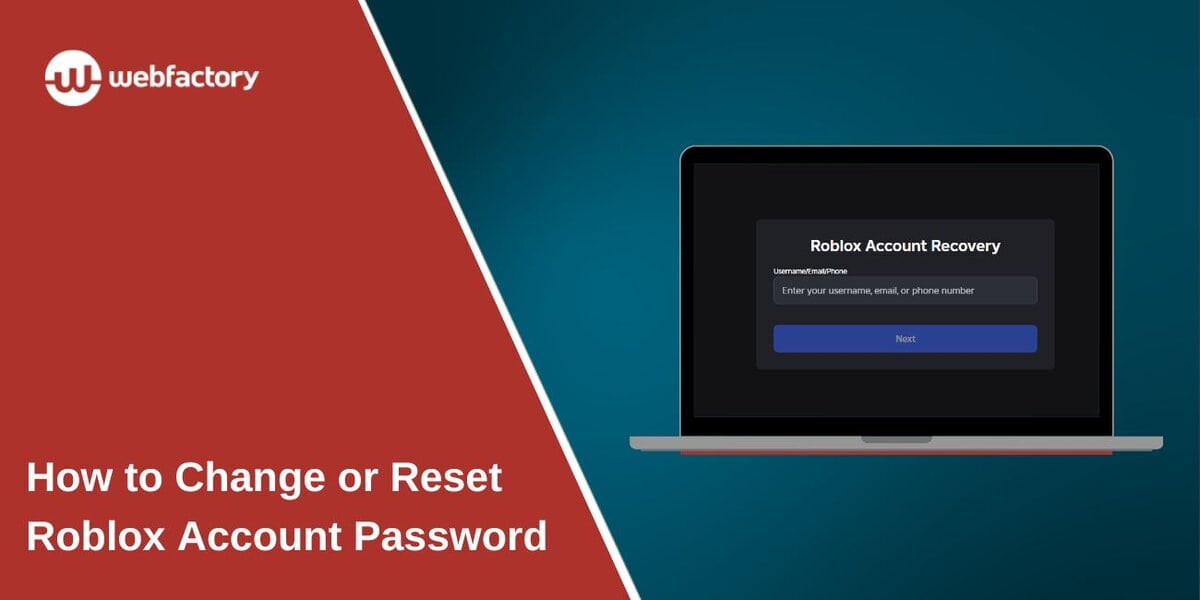
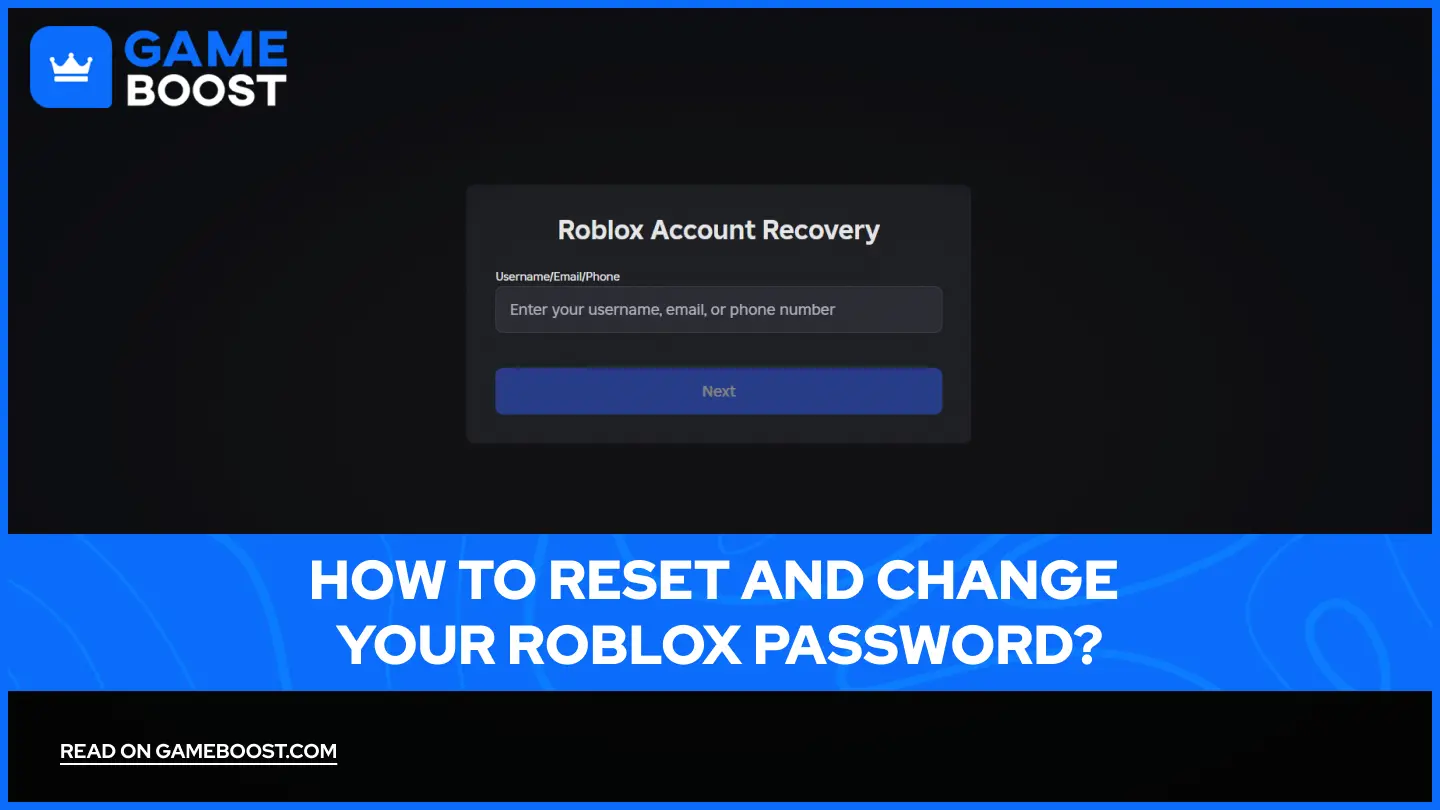
A: Forgetting a password is a super common issue, so don't feel bad about it at all! I get why this one trips up so many people, especially with so many passwords to remember these days. The main way to recover your Roblox account is through its password reset system. You'll need access to the email address or phone number that's currently verified on your Roblox account. To start, head over to the Roblox login page. Look for the 'Forgot Password or Username?' link; it's usually right below the login fields. Clicking this will direct you to a page where you can enter either your email address or phone number. Roblox will then send a password reset link or a verification code to that contact method. If you're using email, check your inbox, including your spam or junk folders, as sometimes these emails can get filtered. For phone numbers, a text message with a code will arrive. Once you receive the link or code, follow the instructions to set a new, strong password. Make sure your new password is unique and difficult for others to guess, mixing uppercase and lowercase letters, numbers, and symbols. If you don't have access to the verified email or phone, recovery becomes much harder, often requiring direct contact with Roblox Support. Always keep your recovery information up-to-date. Try this tomorrow if you're stuck!
3. Q: Is there a way to delete my Roblox account permanently?
A: Ah, the desire for a clean break, I totally get that! While Roblox doesn't offer a simple 'delete account' button you can click on a whim, it is possible to effectively remove your account from active use. It's not an instant self-service option, which might seem a bit frustrating at first. To delete your Roblox account permanently, you actually need to contact Roblox Support directly. You'll go to their support page and fill out a contact form. When you submit the form, make sure you clearly state your request to 'delete account' or 'close account'. It's important to provide as much detail as possible to verify you are the legitimate account owner. This might include your account username, the email address associated with it, and any billing information if you've ever made purchases. Roblox Support will then review your request and guide you through any additional verification steps they require. Keep in mind this process isn't immediate; it can take some time for them to process your request. Once deleted, all your data, Robux, and items will be gone forever. This is why they make it a manual process – to ensure it's a considered decision. If you're just looking for a fresh start, creating a new account might be a quicker alternative. Always double-check your decision before proceeding with deletion. You've got this!
4. Q: What should I do if my Roblox account has been hacked or compromised?
A: Oh no, a compromised account is definitely a stressful situation, and it's a problem many players unfortunately encounter. The first thing you need to do is act quickly to minimize potential damage. Your absolute priority should be to try and reset your password immediately. Head to the Roblox login page and use the 'Forgot Password or Username?' link. If the hacker hasn't changed your verified email or phone number, you might still be able to regain control this way. If they have changed your contact information or you can't log in at all, then you need to contact Roblox Support right away. Use their dedicated support form and select the option for 'Account Hacked or Compromised'. Provide as much detailed information as you can about your account, including when you last accessed it, any recent purchases, and the original email address used. Screenshots of any suspicious activity or emails can also be helpful. While you wait for support, it's a good idea to change passwords for any other online accounts that used the same password as your Roblox account. This helps prevent further compromise across other platforms. Also, enable two-step verification on all your important accounts if you haven't already. Roblox Support is usually quite responsive to these types of urgent requests. Hang in there, they'll help you through it!
## Intermediate / Practical & Production
1. Q: How can I update the email or phone number associated with my Roblox account for better security?
A: Keeping your recovery information updated is super smart, and it's a key part of strong account security! I get why players want to make sure their accounts are linked to current contact details. It's your lifeline if you ever get locked out. To update your email or phone number, you'll need to log into your Roblox account first. Once you're in, navigate to your Account Settings. This is typically found by clicking the gear icon in the top right corner of the Roblox website. Within the settings menu, look for the 'Account Info' tab. Here, you'll see fields for your email address and phone number. To add or change an email, you'll input the new address and then Roblox will send a verification email to that new address. You must click the link in that email to confirm it. Similarly, for a phone number, you'll input the new number, and Roblox will send a verification code via text message. You'll then enter that code back into Roblox to confirm. It's crucial that you have active access to the new email or phone number you're trying to add, because without verification, the change won't take effect. This two-step verification process for contact info helps prevent unauthorized changes to your account. Always ensure these details are current and accessible only by you. Staying proactive truly pays off here. You've totally got this!
2. Q: What are the benefits of enabling Two-Step Verification (2SV) on my Roblox account, and how do I set it up?
A: Enabling Two-Step Verification, often called 2SV or 2FA, is honestly one of the best things you can do for your Roblox account security. I can't stress this enough; it's like putting an extra, super strong lock on your front door! The main benefit is that even if someone manages to get your password, they still won't be able to log into your account without that second verification step. This drastically reduces the risk of hacking and keeps your Robux, items, and progress safe. Setting it up is quite straightforward. First, make sure you have a verified email address on your Roblox account. This is usually a prerequisite for 2SV. Once your email is verified, log into your Roblox account and go to your Account Settings, which is that little gear icon in the top right. Then, navigate to the 'Security' tab. You'll see an option there labeled '2 Step Verification'. Click to enable it. Roblox will then send a verification code to your verified email address every time someone attempts to log into your account from a new device or browser. You'll need to enter this code to complete the login. It adds a small extra step to logging in, but the peace of mind it provides is absolutely worth it. This simple addition can save you a lot of headache in the long run. Go activate it today!
3. Q: If I create a new Roblox account, will my Robux and game passes transfer over?
A: This is a really common and understandable question, especially if you're considering a fresh start! I get why players would hope to carry over their hard-earned Robux or valuable game passes. Unfortunately, the simple answer is no; your Robux and game passes will not transfer over to a new Roblox account. Think of each Roblox account as a completely separate entity. When you create a new username, it's essentially a brand new identity within the Roblox universe. Any Robux you've purchased or earned, and any game passes or virtual items you own, are inextricably linked to the specific account they were acquired on. They are part of that account's digital inventory and cannot be moved, gifted, or sold to another one of your accounts. This policy is in place for several reasons, including preventing fraudulent transfers and maintaining the integrity of the in-game economy. So, if you're thinking about starting fresh, be aware that you'll be beginning with a blank slate in terms of currency and items. This is a crucial point to consider before deciding to create a new account, especially if your current account holds significant value to you. Weigh your options carefully before making the jump. You've got this!
4. Q: Can parental controls help prevent my child from resetting or changing their Roblox account details without permission?
A: Absolutely, parental controls on Roblox are a fantastic tool for parents who want to ensure their child's account remains secure and managed. I always encourage parents to explore these features thoroughly! While Roblox doesn't have a direct 'prevent account reset' button for parents, the robust parental control features work indirectly to secure account details. By enabling Account Restrictions through your child's account settings and setting a Parent PIN, you can control significant aspects of their account. This PIN acts as a gateway, requiring its input before any critical changes can be made. This includes changing the email or phone number associated with the account, adjusting privacy settings, or even making purchases. Without the Parent PIN, your child cannot alter these sensitive details. This means if they tried to initiate a password reset by changing the email, they would be blocked. It's a powerful way to ensure that you, as the parent, retain oversight and control over the account's fundamental security settings. Additionally, you can monitor their chat and friend requests, ensuring a safer online environment. Make sure you set a strong Parent PIN and keep it confidential. It’s a great way to empower you in safeguarding your child's digital space. Try setting it up tonight!
5. Q: What are the signs that my Roblox account might have been compromised, even if I can still log in?
A: That's a super insightful question, and it's something every savvy gamer should be aware of! Sometimes, a compromise isn't as obvious as being completely locked out. I get why this one might trip people up, thinking 'If I can log in, I'm safe!' But that's not always true. One of the most common signs is finding unexpected Robux purchases or expenditures. If you notice your Robux balance is lower than it should be, or you see transactions you didn't authorize, that's a huge red flag. Another major indicator is changes to your avatar or inventory. Did your avatar suddenly get a new outfit you didn't buy, or are items missing from your inventory? That suggests someone else has been playing on your account. You might also notice unusual messages in your chat logs or friend requests sent to people you don't know. If your account settings, like your privacy settings or email address, have been altered without your permission, that's another clear sign. Sometimes, you'll even receive emails from Roblox about login attempts from unfamiliar locations or devices. Pay attention to these notifications! If you spot any of these signs, immediately change your password, enable two-step verification, and contact Roblox Support. Trust your gut feeling if something feels off. Stay vigilant!
6. Q: Are there any specific game-related data that can be reset within a Roblox game itself, rather than the entire account?
A: That's a fantastic distinction to make, and it highlights a common misunderstanding among players! I totally get why someone might confuse game-specific progress with overall account data. While you can't 'reset' your entire Roblox account, many individual games or experiences within Roblox do offer their own in-game reset or data wipe options. This is entirely dependent on the specific game's developer and how they've designed their game. For example, in some popular RPGs or simulation games, you might find a button in the game's settings menu that says something like 'Reset Progress,' 'Start New Game,' or 'Wipe Data.' This action would typically delete your progress *only* within that particular game, allowing you to begin again from scratch in that specific experience. It won't affect your Robux, your avatar, your friends list, or your progress in any other Roblox game. This feature is often implemented to allow players to re-experience a game's early stages or to correct a build they're unhappy with. It's important to always check the specific game's settings or information page to see if such an option exists, as it's not a universal Roblox feature. Always read the prompts carefully before confirming any in-game data wipes. Good luck with your fresh starts!
## Advanced / Research & Frontier
1. Q: What are the security implications of using a shared device when attempting to reset my Roblox password?
A: This is a critical question with significant security implications, and it's a scenario many people overlook! I truly get why using a shared device might seem convenient, but it introduces several potential risks when resetting your password. The primary concern is that a shared device, whether it's a family computer, a public library machine, or a friend's tablet, might have keyloggers or malware installed. These malicious programs can record your new password as you type it, allowing an unauthorized party to gain access to your account. Secondly, if you don't fully log out after resetting your password, your account session might remain active, making it accessible to the next user of that device. Even if you log out, browsers on shared devices often save login credentials, making it easier for someone else to access your account through autofill features. Furthermore, the password reset email or text message you receive could be visible to others if the device's email client or messaging app is not secure or if you're not careful about closing tabs. Always ensure you're on a trusted, private network and device when handling sensitive account information. If you must use a shared device, always use incognito or private browsing mode, never save passwords, and clear browser data immediately afterward. Prevention is truly the best cure here. Stay safe out there!
2. Q: How does Roblox's account deletion policy handle personal data and user-generated content (UGC)?
A: This is a really deep dive into data privacy, and it's something I get why many users want clear answers on. When you successfully request a permanent account deletion from Roblox, their policy is generally to remove or anonymize your personal data. This includes your username, email, phone number, and any other identifiable information directly associated with your account. However, it's not always a complete instant erasure of every trace. For legal and operational reasons, some data, particularly related to financial transactions or legal disputes, might be retained for a specific period. This is standard practice across many online platforms to comply with various regulations. The more complex aspect involves User-Generated Content (UGC). If you've created games, clothing, or other assets on Roblox, these items are typically *not* deleted upon your account's removal. This is because UGC often has an impact on other players' experiences and potentially other developers' creations. For example, if your game was popular, deleting it might disrupt many users. While the *attribution* to your specific username might be anonymized or removed, the content itself often remains on the platform, becoming 'orphan content' without a clear creator link. This policy ensures the integrity of the platform's vast content library. Always consider the long-term impact of your creations if you're thinking about account deletion. It's a nuanced area, for sure. You've got this!
3. Q: Can a Roblox account that has been inactive for a very long time be 'recycled' or automatically deleted by Roblox?
A: That's a fascinating question about account lifecycle management, and it's something that often sparks curiosity! I get why people might wonder if a dormant account could just vanish. Historically, Roblox, like many online services, has had policies regarding inactive accounts. However, a Roblox account generally does not get 'recycled' or automatically deleted simply due to prolonged inactivity in the way some email providers might. Usernames are unique identifiers, and once they're claimed, they typically remain associated with that account. The primary reason for this is to maintain the integrity of the platform's naming system and user history. Imagine if someone's old account with a unique username suddenly became available; it could lead to confusion or impersonation. While Roblox might implement measures to deactivate certain features for inactive accounts or limit their visibility, the account itself and its associated username usually persist indefinitely. This means if you have an old account, even one you haven't touched in years, it's highly likely that it's still there. If you remember the login details or have access to the associated recovery information, you should still be able to regain access. The best way to get a new username if yours is taken is still to simply create a brand new account. Always good to know your options!
4. Q: What advanced security measures, beyond 2SV, can I implement to protect my Roblox account from sophisticated attacks?
A: This is where you really start thinking like a security pro, and I love that dedication! While 2SV is fantastic, there are indeed more advanced layers you can add to protect your Roblox account from those really sophisticated attackers. One crucial step is to use a unique, strong password for your Roblox account that you *don't* use anywhere else. This prevents credential stuffing attacks, where hackers try leaked passwords from other sites on Roblox. I get why remembering so many unique passwords can be tough, but a reliable password manager (like LastPass or 1Password) can handle this for you securely. Next, ensure the email address linked to your Roblox account is itself highly secured. Enable 2SV on your email account too, and use a strong, unique password for it. If your email gets compromised, your Roblox account is next. Consider using a dedicated email address solely for important gaming accounts. Beyond that, be extremely cautious about phishing attempts. Never click suspicious links in emails, Discord messages, or Roblox in-game chat. Hackers often impersonate Roblox or game developers to trick you into giving away your login details. Always verify the source. Finally, keep your operating system and web browser updated, as these updates often include critical security patches. Staying informed about common scam tactics is your best defense. You've got this, stay sharp!
5. Q: Are there specific browser extensions or software tools that can enhance Roblox account security?
A: That's a sharp question, diving into the tech side of things for extra protection! I get why gamers look for every edge to secure their digital assets. While Roblox itself doesn't officially endorse third-party browser extensions or software for *direct* account security enhancements, there are general cybersecurity tools that can indirectly boost your safety while playing. A reputable password manager, as mentioned before, is an absolute must-have. Extensions like LastPass, 1Password, or Bitwarden securely store and generate unique, complex passwords, making your Roblox login much harder to crack. They also help prevent phishing by only auto-filling on legitimate sites. Another great tool is a strong ad-blocker extension, such as uBlock Origin or Privacy Badger. These can prevent malicious ads that might try to redirect you to phishing sites or contain malware. Similarly, a robust antivirus/anti-malware program running on your computer (like Malwarebytes or Windows Defender) is essential. These programs scan for and remove threats that could potentially steal your login credentials from your device, regardless of the website you're visiting. Always download extensions and software from official sources (browser web stores, official developer websites) to avoid installing fake or malicious versions. Be very wary of any 'Roblox security' extensions not from Roblox directly, as these can often be scams. Stay informed and secure!
## Quick Human-Friendly Cheat-Sheet for This Topic
- Forgot your password? No sweat! Use the 'Forgot Password' link on the Roblox login page with your linked email or phone.
- Can't 'reset' your account to zero. If you want a fresh start, you'll need to create a brand new Roblox account.
- Hacked account? Act fast! Try to reset your password immediately and contact Roblox Support if you're locked out.
- Protect your account! Enable Two-Step Verification (2SV) in your account settings; it's a game-changer for security.
- Keep your info current! Make sure the email and phone number on your Roblox account are always up-to-date and verified.
- Parental controls are your friend. Use a Parent PIN to secure critical account settings for younger players.
- Be cautious of shared devices or suspicious links. Always use private browsing and never save your passwords on public computers.
Roblox account recovery is possible through password reset using email or phone. A full account 'reset' like wiping progress is generally not an option; players usually create a new account for a fresh start. Account security best practices include two-step verification and strong unique passwords to prevent unauthorized access. Understanding Roblox's terms of service is key for managing account issues safely.
35



How To Find Your Roblox Password For 2026 . How To Reset And Change Your Roblox Password 7fa517f7 638c 4bf2 B2ba. How To Reset Your Roblox Password 2026 How To Recover Roblox Account . How To Reset Roblox Password If You Forgot It 2026 YouTube . How To Reset Your Roblox Account Password YouTube Oardefault


How To Reset And Change Your Roblox Password 6ef7392d 965d 4d4a 9c19. How To Reset Your Roblox Password Without Email 2025 Get Your . Roblox Account Password Guessers Friend Or Foe Robfp6 1536x792 . 4 Fixes For Roblox Not Letting Me Log In Guiding Tech Reset Roblox Account Password Email 300x184 . How To Change Or Reset Roblox Account Password How To Change Or Reset Roblox Account Password



Roblox Account Password Guessers Friend Or Foe Robfp7 1024x528 . How To Reset Roblox Without Resetting MMGO . How To Reset And Change Your Roblox Password D77df42c 30fa 45a6 9c87 Webp.webp. Jak Obnovit A Zabezpe It Hacknut Et Roblox V4 460px Get A Hacked Roblox Account Back Step 8 . 4 Ways To Reset Roblox Password Specify The Issue


How To Change Your Roblox Password Quick Guide Tech How 2 Change Password. 4 Easy Ways How To Get Your Roblox Account Back In 2026 Roblox Reset Password Email . How To Message On Roblox 2026 A Quick Guide . De Top 10 Meest Effectieve Methoden Voor Het Omzeilen Van Roblox Change Roblox Password . Lost Your Roblox Password How To Recover It Now Reset Password Button




Connect Your Worlds Microsoft And Roblox Account Syncing . How To Delete Your Roblox Account Permanently In 2026 Full Guide Roblox Delete.webp. 2026 Guide To Change Your Roblox Account Location Quick Tips F 1770691379 390.webp. 4 Easy Ways How To Get Your Roblox Account Back In 2026 How To Get Your Roblox Account Back 768x432 . Lost Roblox Password How To Find Yours In 2026


Lost Your Roblox Login How To Recover Account Without Email Or Password . Connect Your Worlds Microsoft And Roblox Account Syncing . How To Change Your Email On Roblox A Simple Guide . How To Change Your Account Location On Roblox Step By Step 2026 Guide . Lost Roblox Password How To Find Yours In 2026 How To See Your Roblox Account Password Guide


How To Change Your Country On Roblox 2026 Change Account Location 800x450. How To Change Account Location On Roblox Answered Gamer Tweak Level Your Weapon Codes.webp. Roblox Ifresini S F Rlaman N 4 Yolu Press Roblox Reset Button . Roblox Roblox Password Reset.webp. What Happens When I Reset My Network Settings On Iphone Dibujos Cute